Alerts
An alert means that a risk deviates from the policy your organisation has set. RiskCompass recalculates the alerts each time from your policy per level and today’s date. So you don’t have to keep track of them or tick them off: fix the cause and the alert disappears.
Go to Alerts (from risk manager). The number next to the menu item is the number of risks with an alert.
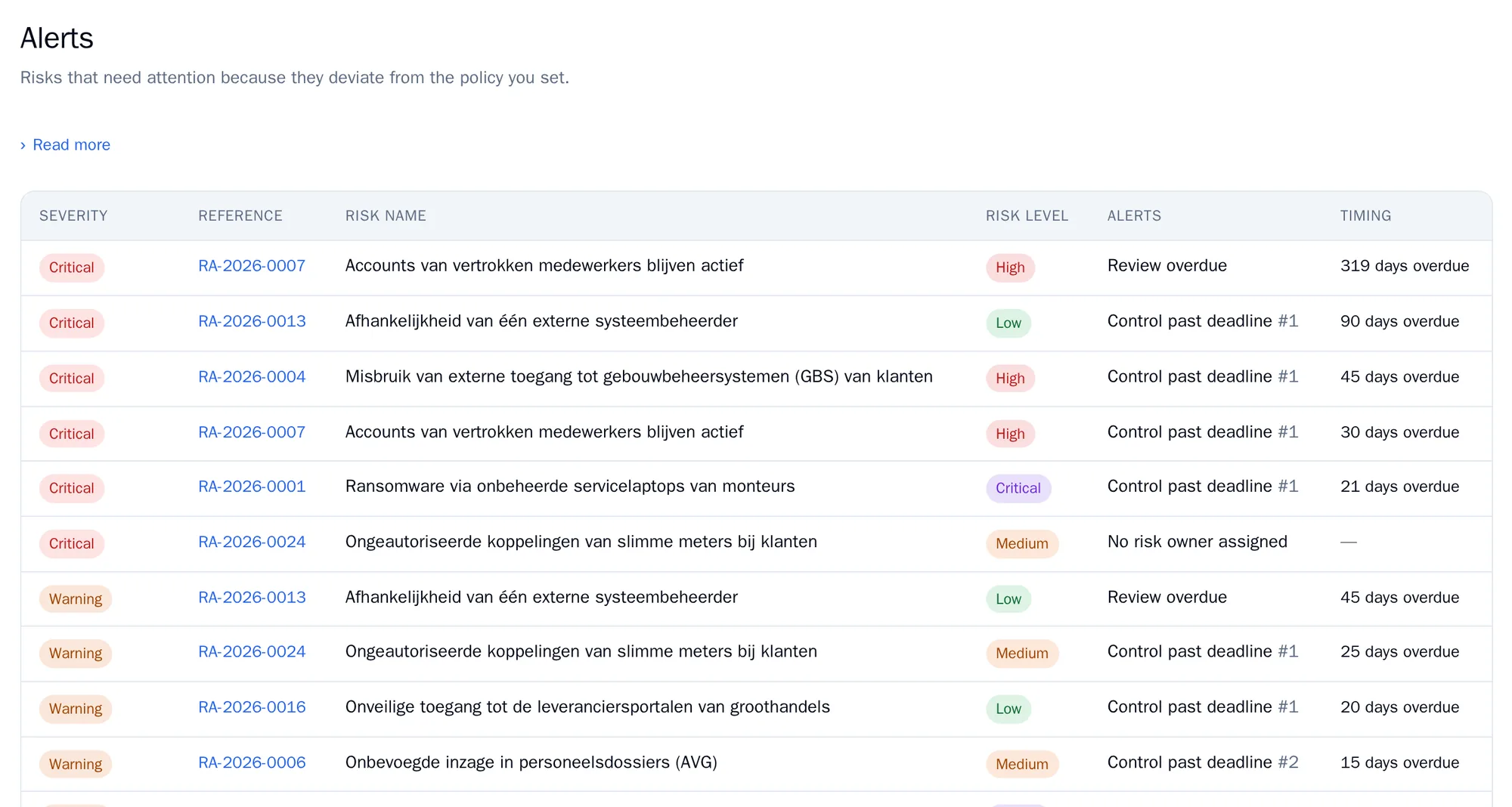
The list is sorted by severity, with critical at the top and then whatever is most overdue.
Severity
Section titled “Severity”- Critical: action needed now.
- Warning: action needed, not yet serious.
- For information: something is coming up.
Types of alert
Section titled “Types of alert”| Alert | When | Severity | What you do |
|---|---|---|---|
| No risk owner assigned | A risk under review or approved has no owner. | Warning when under review, critical when approved | Assign a risk owner on the Information step. |
| Review due soon | The next check falls within the warning period. | For information | Plan the reassessment. |
| Review overdue | The next check date has passed. | Warning, critical after the escalation period | Reassess the risk and record a check. |
| Treatment plan missing | The level requires a treatment plan and there is none. | Critical | Add measures on the Treatment plan step. |
| Acceptance not permitted at this level | The risk has been accepted, but that is not allowed at this level. | Critical | Treat the risk, or ask senior management to reconsider the policy. |
| Temporary acceptance expired | The date under Accepted until has passed. | Critical | Decide again: extend the acceptance or treat the risk. |
| Control past deadline | A measure is still not completed after its deadline. | Warning, critical after the escalation period | Finish the measure, or change the deadline and give a reason. |
| Treatment deadline exceeded | The treatment period after approval has passed and a measure is still open. | Critical | Finish the open measures. |
You set the warning period, the escalation period and the treatment period per level under Assessment framework, Policy per level.
Alerts apply to approved risks, with one exception: a missing owner also shows for a risk under review. Drafts and retired risks give no alerts.
You also see the open alerts on the dashboard, and in the points of attention report under Insight.