The baseline assessment
The baseline assessment determines how much someone already knows about each topic, on a scale of 1 to 10. Topics include phishing, passwords and ransomware. Awareness uses the result to assign training automatically on the topics where someone is below the target. So someone who already knows a lot does not get training on what they have already mastered.
Taking the baseline assessment
Section titled “Taking the baseline assessment”Every employee does this themselves.
- Go to Practice and choose Baseline. If the baseline assessment is still open, you also see it at the top of Home.
- You see a card per topic with its status. Click Start on a topic.
- Read the question, choose an answer and click Confirm. If you don’t know, click I don’t know. Guessing makes the result less reliable.
- Repeat this until the assessment is finished. Then choose the next topic.
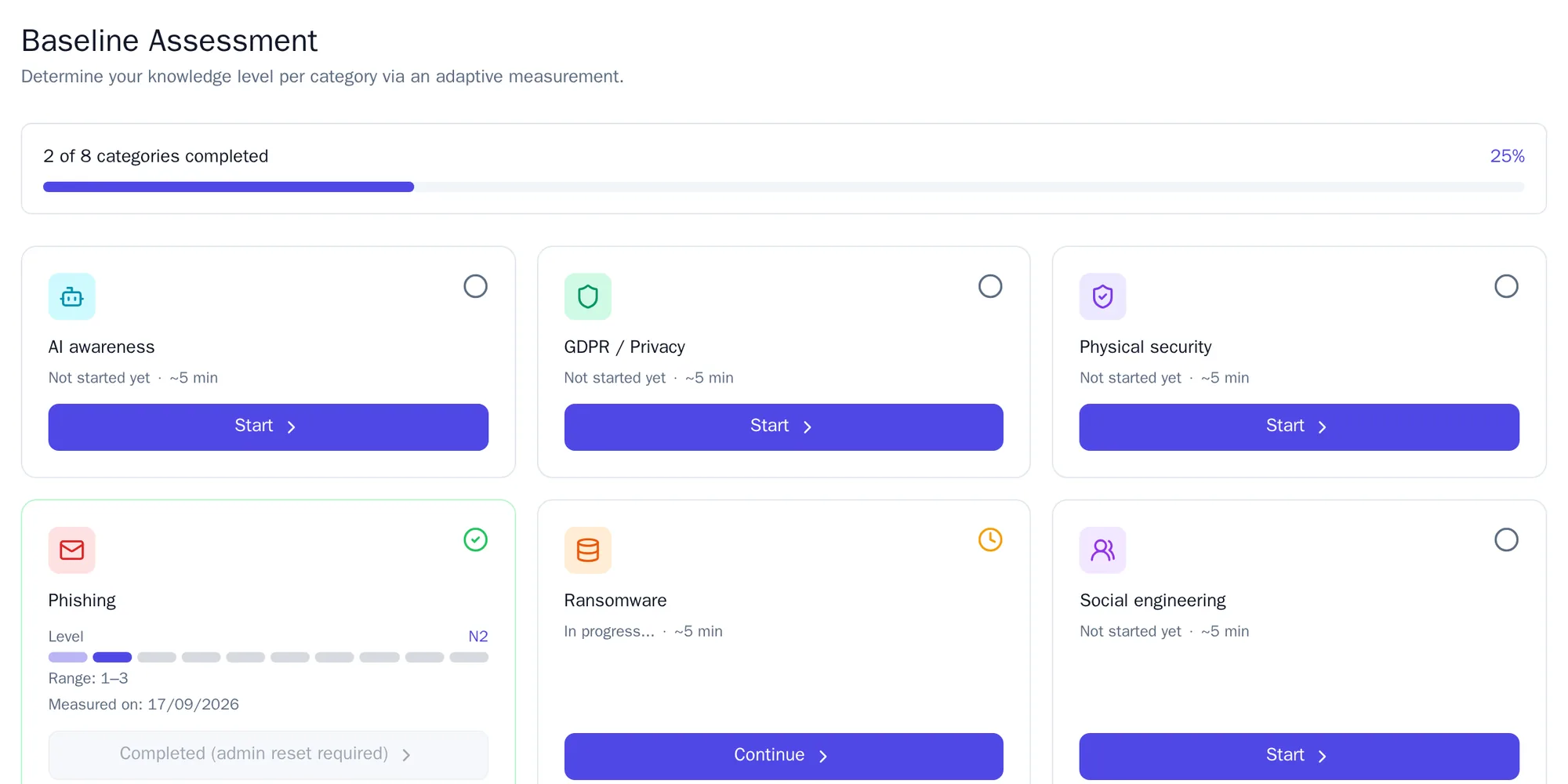
Per topic you get five to ten knowledge questions and one scenario. Allow about five minutes per topic. The questions adapt: they get harder when you answer correctly and easier when you get one wrong.
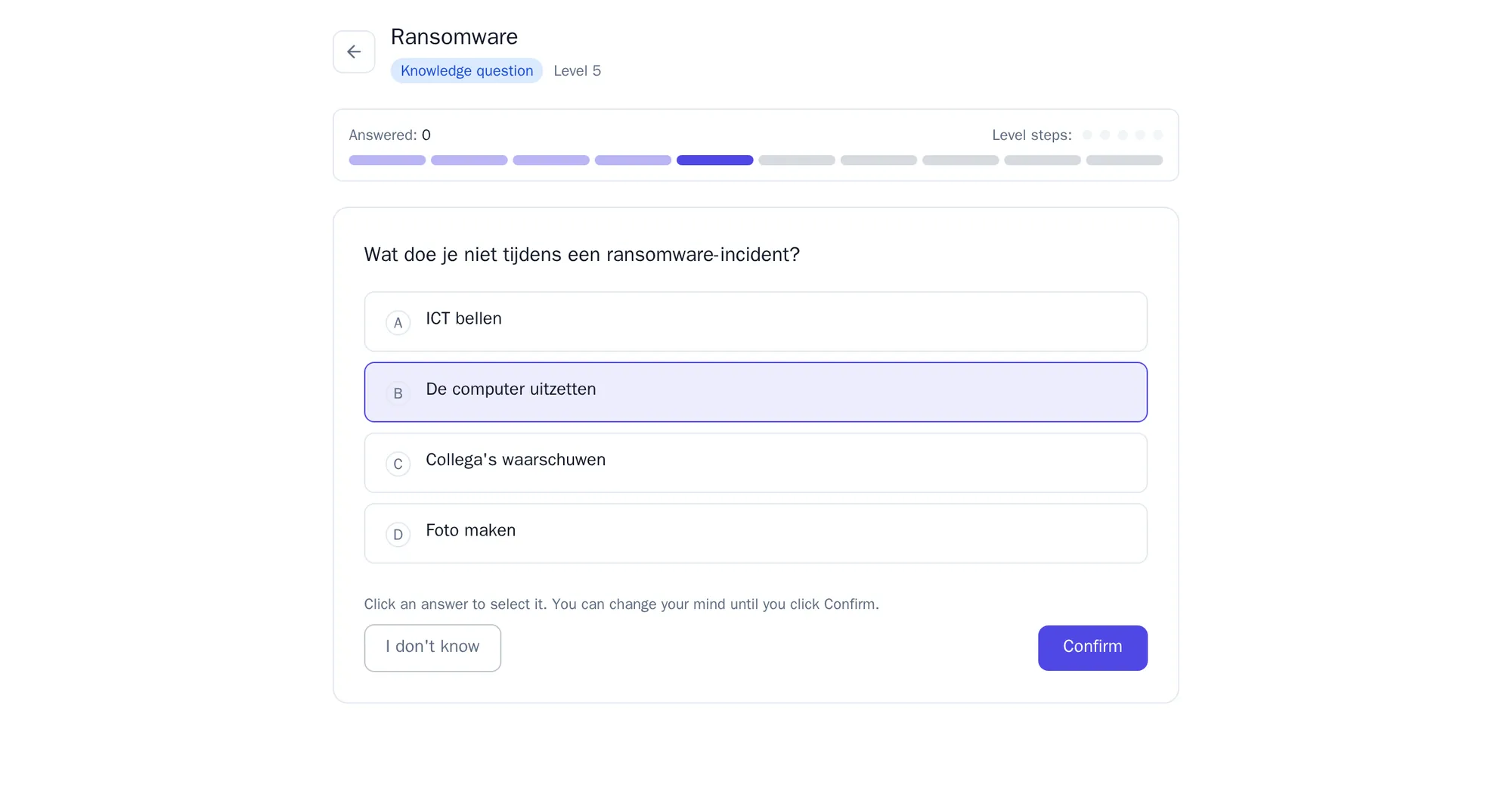
If you have to stop, close the assessment and choose Pause. Later you click Continue on that topic and carry on where you left off.
The result
Section titled “The result”After the last answer you see Assessment completed! with your level and the range your actual level most likely falls within. Click View my results for the overview in your profile, or Measure another category for the next topic.
A completed assessment is locked. That way nobody can wipe out a poor result by doing it again. If a topic does need to be redone, an administrator resets the assessment.
Resetting an assessment
Section titled “Resetting an assessment”An administrator, ISO or manager does this. A manager, and an ISO with their own department, only reset assessments from their own department.
- Go to Auto-training and open the Baseline tab. Choose Reset baseline.
- Search for the employee by name or email address.
- Choose a topic, or All categories, and optionally fill in a Reason (optional).
- Click Reset.
The employee then sees Re-measure on that topic.
If it doesn’t work
Section titled “If it doesn’t work”| What you see | What you do |
|---|---|
| This baseline assessment has already been completed. | Ask an administrator to reset the assessment. |
| No eligible questions available for this category. | No training for this topic has been marked as suitable for the baseline assessment yet. Report it to your administrator and choose another topic. |
| Could not start assessment. Please try again later. | Wait a moment and click Start again. |
| Failed to process answer. Please try again. | Click Confirm once more. |
Under Auto-training, tab Baseline, an administrator also sets whether the baseline assessment is mandatory, within how many days it must be completed (30 by default) and how often Awareness sends a reminder (every 7 days by default).