The risk score
The risk score, also called Human Risk Score or HRS on screen, shows how much human risk an employee, a department or the whole organisation runs. It runs from 0 to 100. The higher it is, the more risk.
How the score is built
Section titled “How the score is built”The score consists of three parts:
| Part | Weight | What it measures |
|---|---|---|
| Behavior | 50% | What someone does: reported phishing, exercise results, overdue training. Every overdue training counts heavily. Behaviour over the past 90 days counts. |
| Awareness | 30% | What someone knows: completed training and the scores for it. |
| Engagement | 20% | How actively someone takes part, compared with colleagues: streak, badges and finishing on time. |
The score also takes the role into account. A mistake by someone with many rights weighs more heavily.
An administrator can adjust the weights, the boundaries between the levels and the factor per role under Settings, HRS weights. The three weights must add up to 100 percent.
The levels
Section titled “The levels”| Score | Level |
|---|---|
| 0 to 20 | Very low |
| 21 to 40 | Low |
| 41 to 60 | Medium |
| 61 to 80 | High |
| above 80 | Critical |
These are the default boundaries.
What an employee sees
Section titled “What an employee sees”An employee only sees their own score, under My risk score. It shows how the score is made up of the three parts, the explanation under What does this mean?, Recommended actions to lower the score, and the trend over the past months.
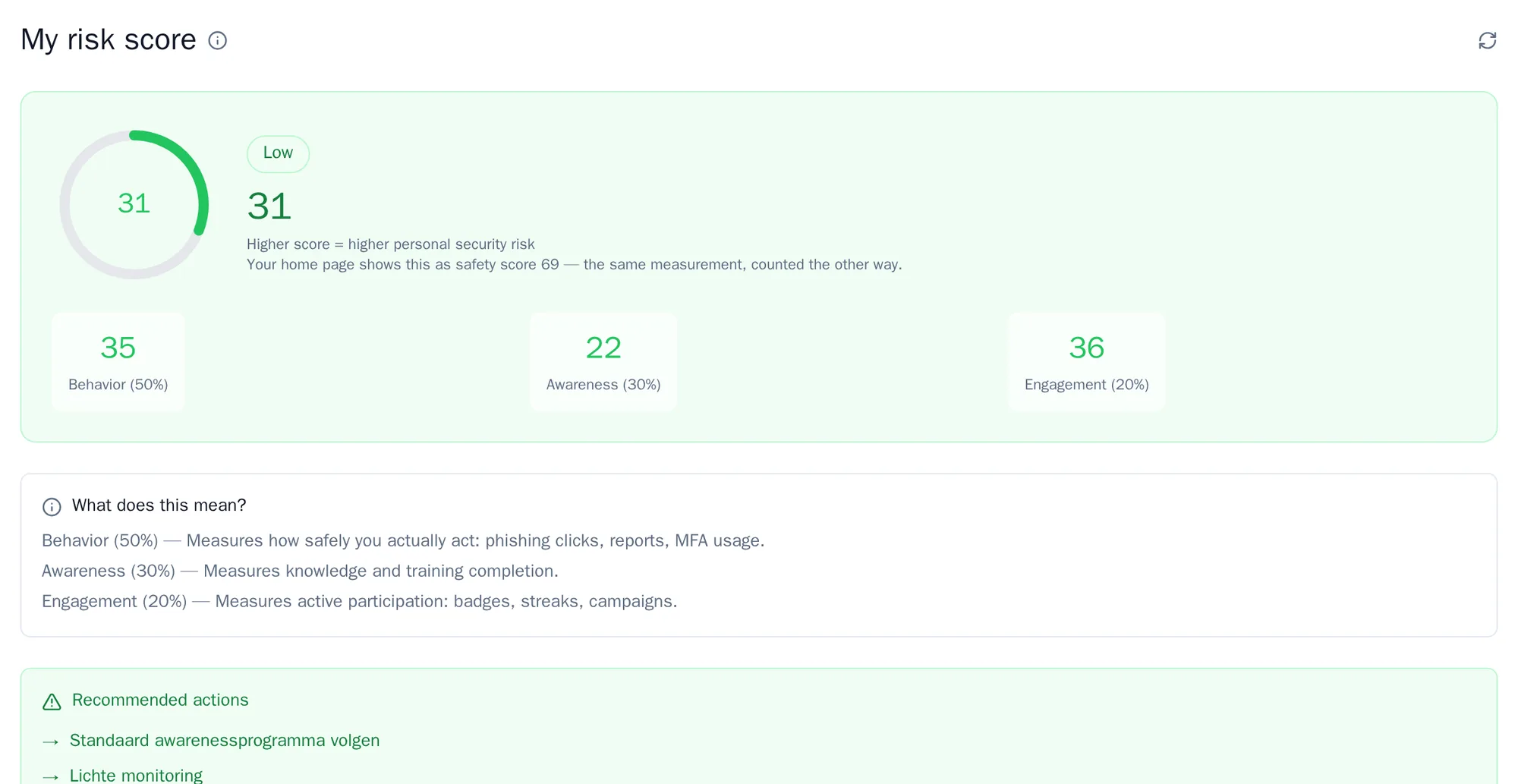
On Home, an employee sees the safety score. That is the same score the other way round: 100 minus the risk score. The higher the safety score, the better.
What an administrator sees
Section titled “What an administrator sees”Go to Insights and choose Risk. You see the score of the organisation, and in the Departments, Employees and Events tabs where the risk lies and what causes it.
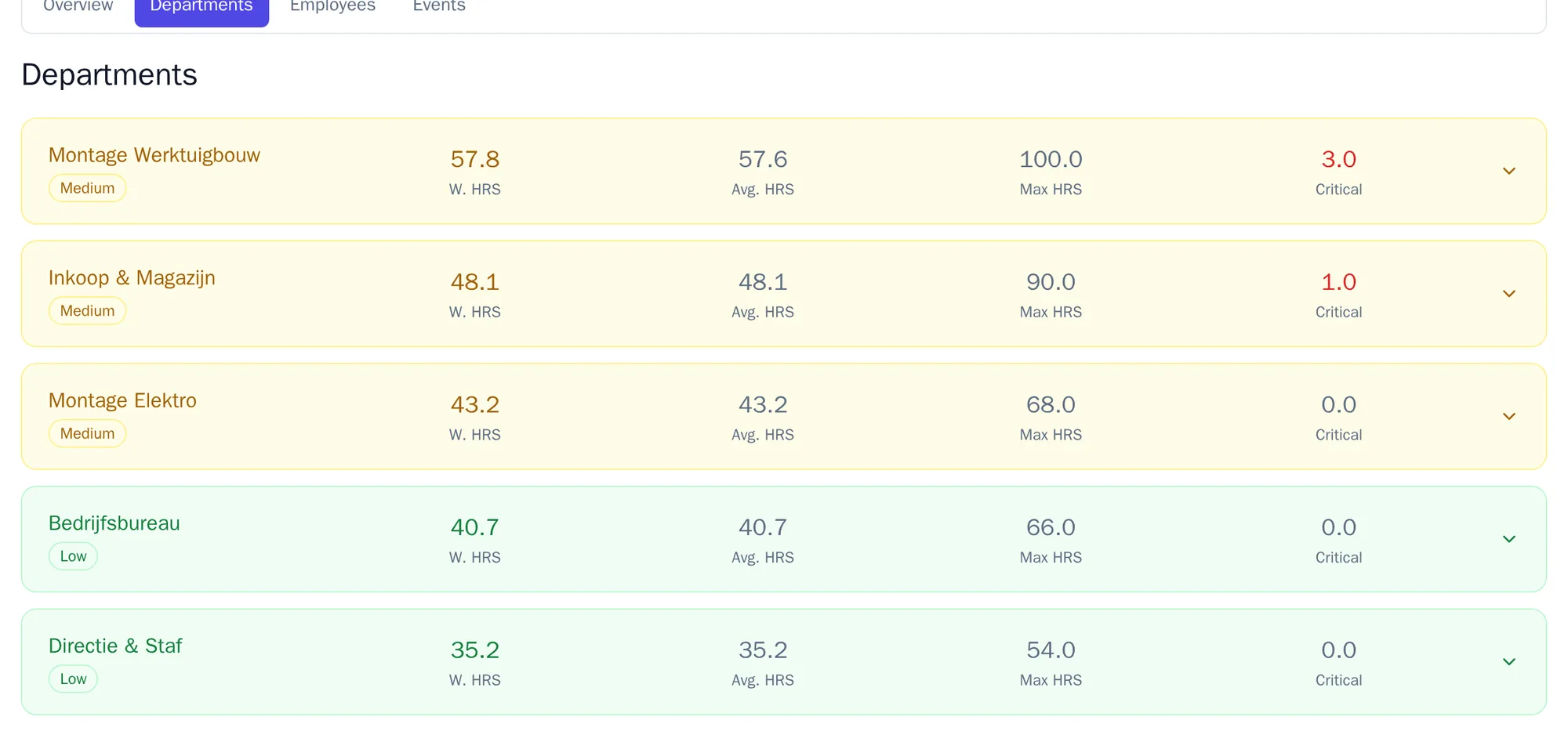
For each department you see the weighted score, the average, the highest score and how many employees are at Critical. Expand a department for more detail.
What to do with it
Section titled “What to do with it”Start with the departments with the highest score. Look in Events at what causes that score: overdue training, missed phishing or little participation. Then send out a targeted campaign for that department, or aim the automatic training at that department.
The risk score is management information. It is not a certification and not proof that you meet a standard.