Treatment plan and measures
In the treatment plan you record how you deal with a risk: which controls are already in place, which measures will be added, who carries them out and when they will be finished.
Filling in the treatment plan
Section titled “Filling in the treatment plan”- Open the assessment and choose the Treatment plan step.
- Under Existing controls, describe what is already being done, for example “Antivirus on all laptops, daily backup to a second location”.
- Under Total resources required, enter what the plan needs in total in people, time and money.
- Under Additional controls, expand a measure and fill it in (see below).
- Click Save · Next.
The KPIs of the risk are shown here for information. You change them on the Information step, via Edit where this belongs.
A measure
Section titled “A measure”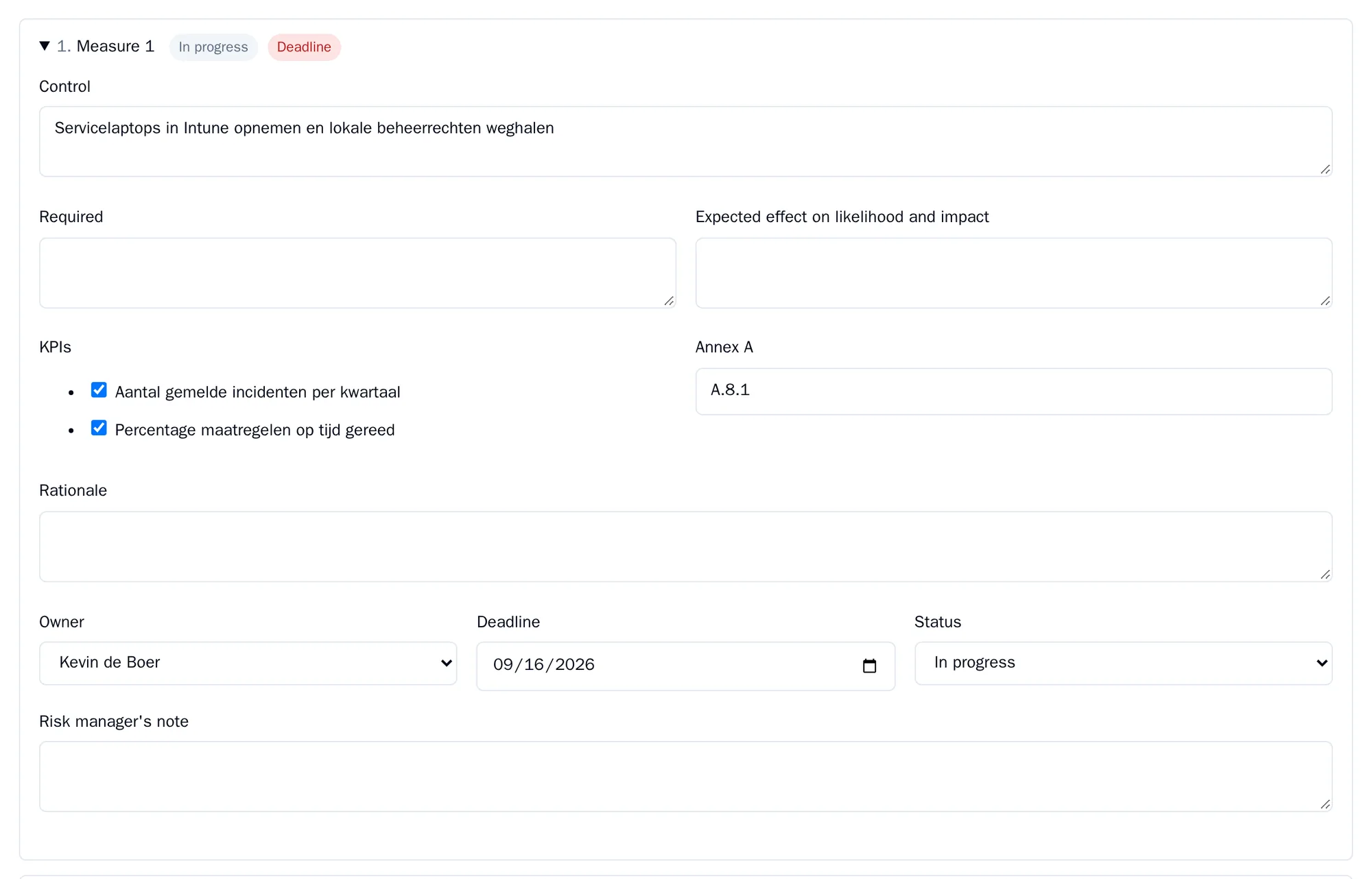
| Field | What you fill in |
|---|---|
| Control | What is going to happen. |
| Required | What is needed for it. |
| Expected effect on likelihood and impact | What the measure is expected to do to the likelihood or the impact. |
| KPIs | Which measurement points of the risk this measure watches. |
| Annex A | A reference to a control, for example A.5.1. If your organisation uses its own control framework, you choose a control from that catalogue here. |
| Rationale | Why this measure. |
| Owner | Who carries it out. |
| Deadline | When it must be finished. |
| Status | Open, In progress, Completed or Withdrawn. |
| Risk manager’s note | A note from the risk manager. Only a risk manager or organisation administrator fills this in. |
There are always empty rows for new measures. A measure without a description disappears when you save. That is also how you remove a measure: clear the description and save.
If a measure is not Completed or Withdrawn after its deadline, the alert Control past deadline appears.
Accepting instead of treating
Section titled “Accepting instead of treating”If you want to accept a risk, record that on the Information step, under Acceptance: accepted, not accepted or temporarily accepted, by whom and on what date. For a temporary acceptance you also fill in Accepted until.
Your policy per level determines whether acceptance is allowed. If you accept a risk at a level where that is not allowed, or a temporary acceptance expires, you get an alert.
All measures
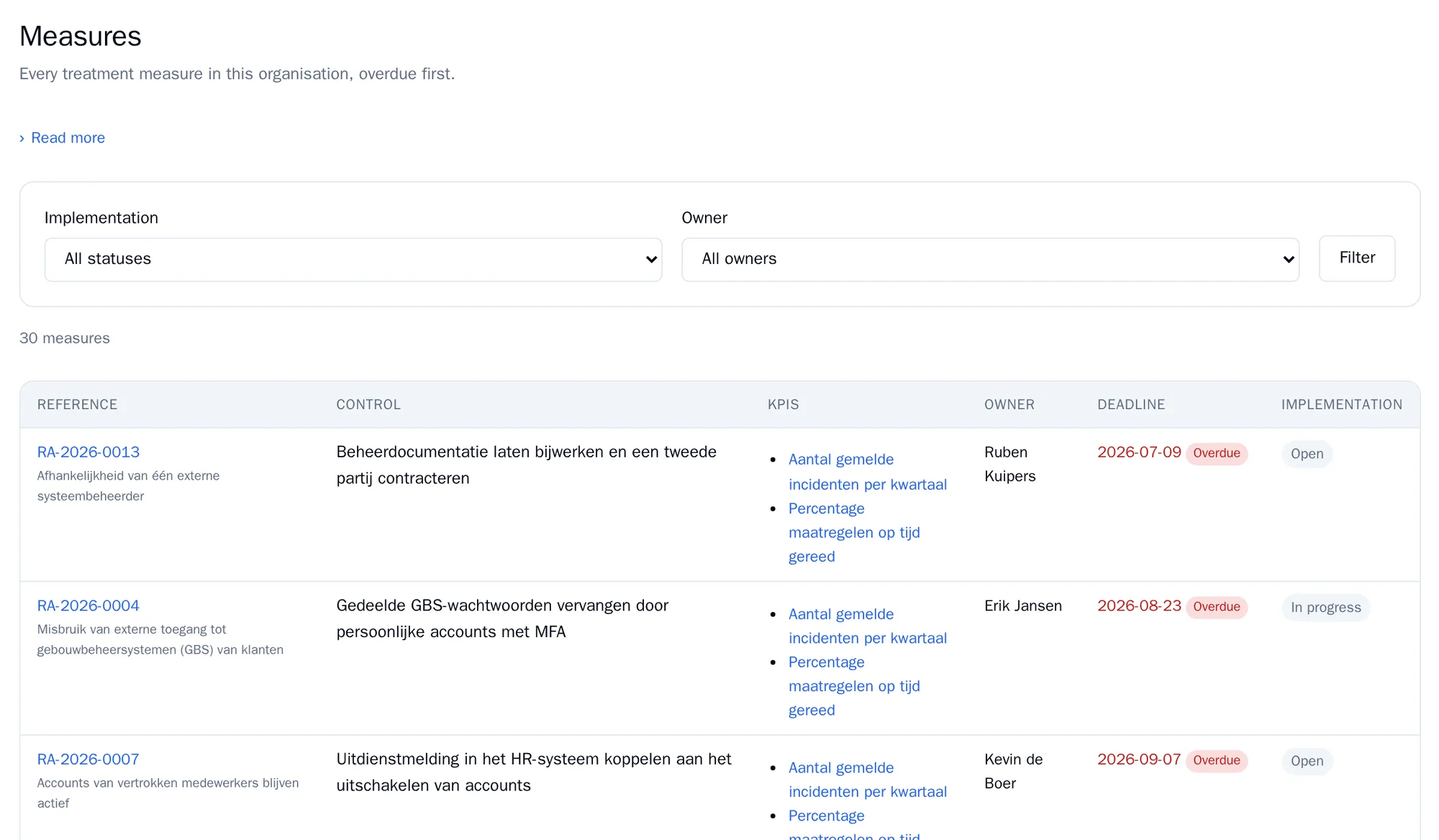
Section titled “All measures”Go to Measures (from risk manager). It lists the measures from all treatment plans, with overdue ones at the top. Filter on Implementation (the status) and on Owner, and click Filter.
If the KPIs and reviews component is switched on, you see all measurement points of your risks under KPIs. A KPI is Watched when at least one measure refers to it. This shows you which measurement points nobody watches.
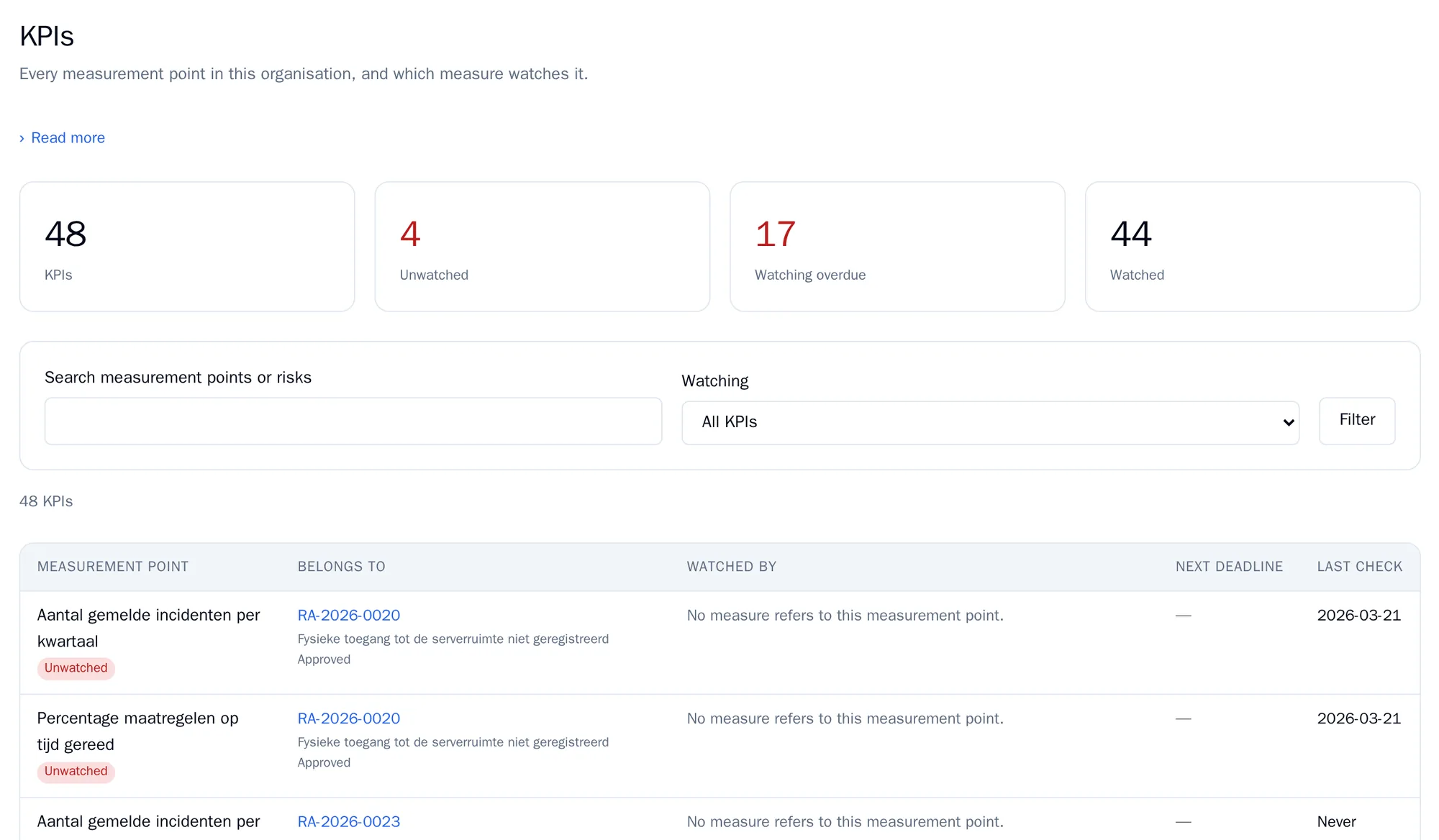
A Viewer or Assessor only sees the KPIs of their own risks here.
Next: Approval and reassessment.