Learning and practice
This page is for employees. It explains how to do a training, which exercises there are and how points and badges work.
Where to start
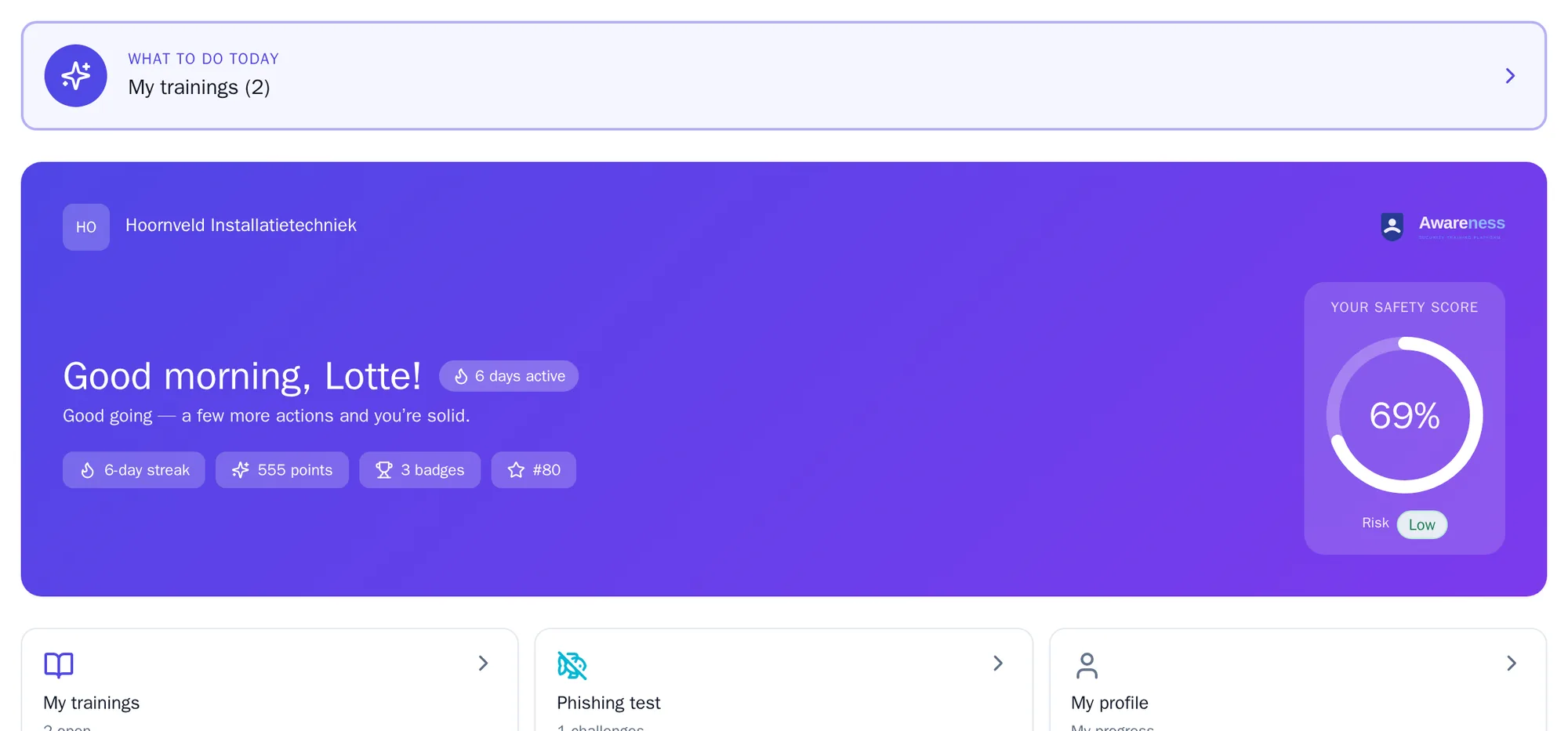
Section titled “Where to start”Open Home. At the top is What to do today: first the baseline assessment if you have not done it yet, then a mandatory lesson, then your open training. Below that you see your safety score, your points, your badges and when your next automatic training is due.
Your training
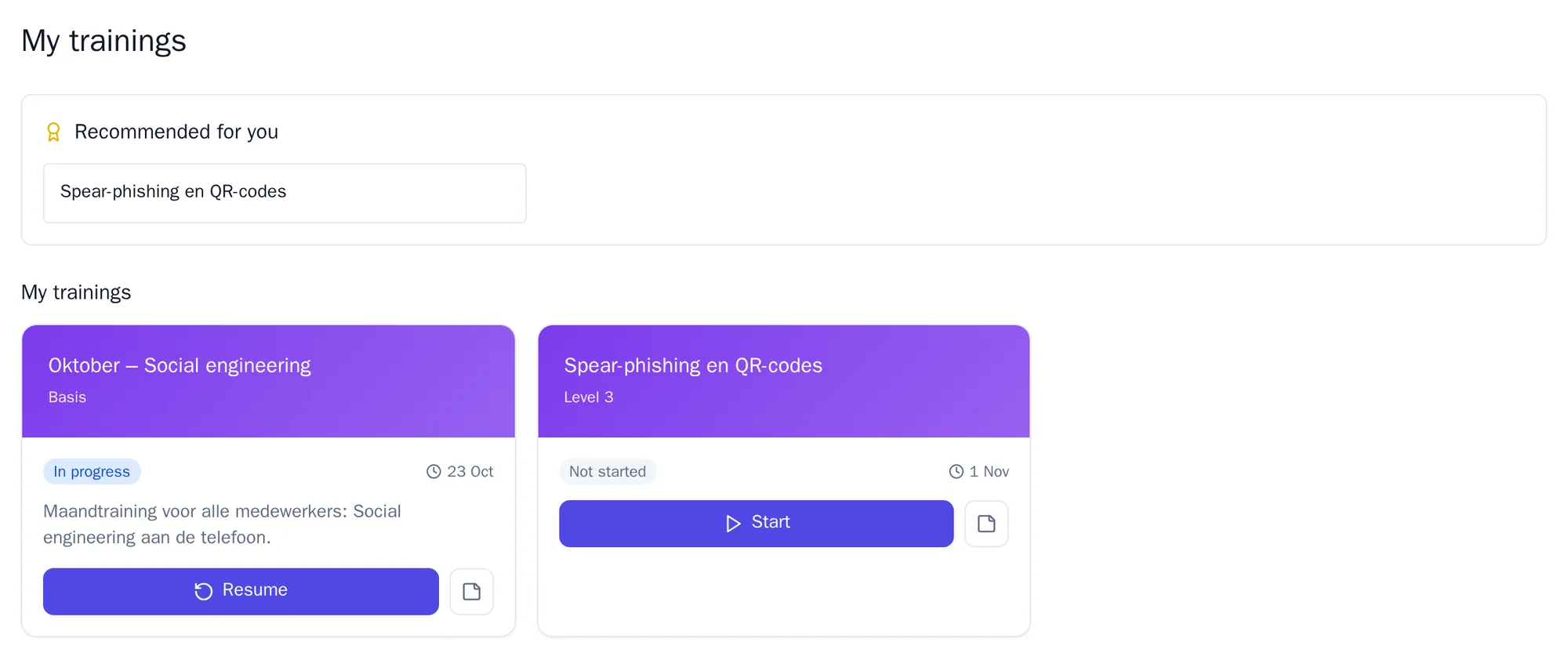
Section titled “Your training”Go to Learn and open My trainings. There you find:
- Recommended for you: training that suits your level;
- Upcoming deadlines: what needs to be finished soon;
- all your assigned training, with the status;
- Completed trainings, with your score.
If you have no training yet, the page says that nothing is waiting for you. You can then practise on your own under Practice.
Doing a training
Section titled “Doing a training”- Click Start on a training. If you have already begun, the button is called Resume.
- Theory: read the explanation and click Next. At the end, click Go to scenarios.
- Scenarios: you get a real-life situation, such as a suspicious email. Choose what you would do and click Confirm. You see straight away whether it was right, and why.
- Quiz: answer the questions and click Confirm each time.
- Click Complete.
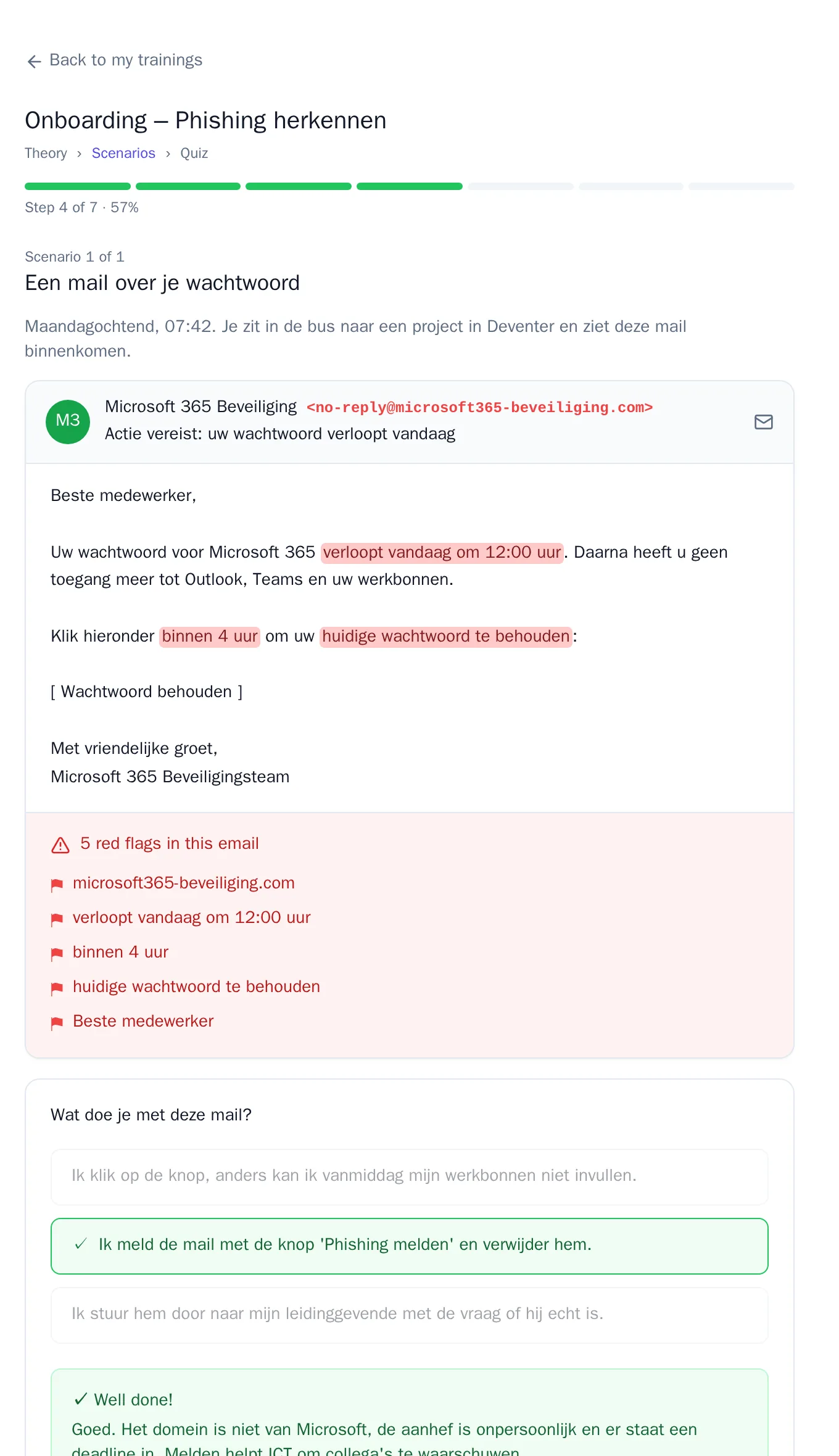
Your score counts the scenarios and the quiz for half each. If you reach the minimum score, you see Training completed! and receive points. If you don’t, you see Minimum score not reached. Sometimes you then have to do a lesson first before you may try again.
If you have to stop, click Pause & exit. When you open the training again later, you choose between Continue and Start over.
If Awareness says your result could not be saved, nothing has been recorded. Try again shortly. If it keeps happening, report it to your administrator.
Practice
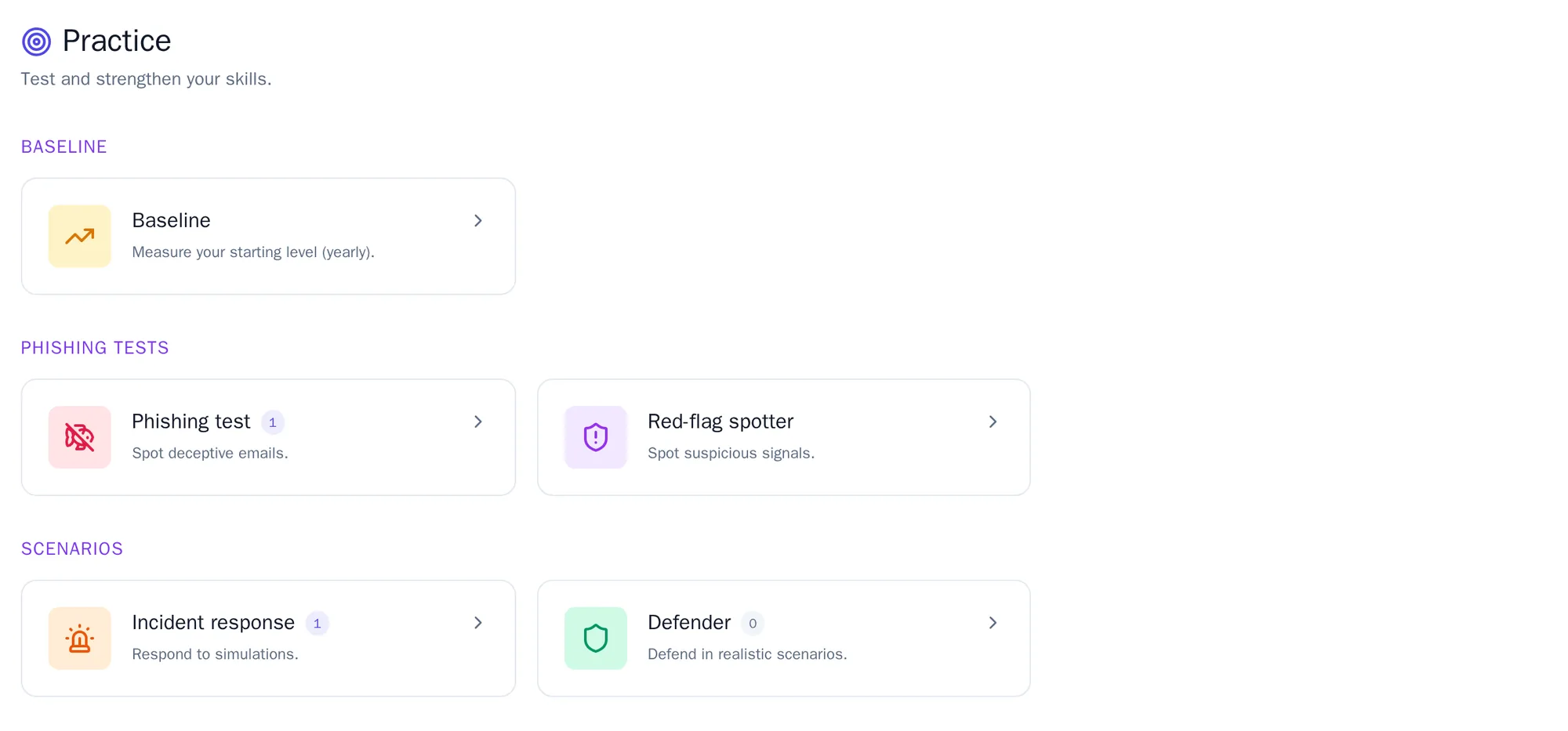
Section titled “Practice”Under Practice you practise whenever you like. What you see depends on what your organisation has switched on.
| Exercise | What you do |
|---|---|
| Baseline | You measure what you already know about each topic. See The baseline assessment. |
| Phishing test | You build a phishing email yourself and so see how an attacker works. Use Calculate phishing score to see how convincing your email is. If you need help, click Hint. |
| Red-flag spotter | You get an email or document and mark everything that is wrong. Click Submit and you see what you flagged correctly, what you flagged wrongly and what you missed. |
| Incident response | You put the steps for an incident in the right order and click Submit. |
| Defender | You recognise the phishing emails that colleagues created in the phishing test. |
Points, levels and badges
Section titled “Points, levels and badges”You get points for every training and exercise. A training earns 100 points by default, or 150 for a perfect score. With points you rise through ten levels.
If you train every day, your streak grows. If you skip a day, it starts again at 1.
Under Rewards you see your badges, your level certificates and the challenges you can take part in. Whether there is a leaderboard and what it shows is up to your organisation: no leaderboard, only the top 3 without names, or the full list with names.
Your certificate
Section titled “Your certificate”If your organisation has switched on certificates, you download a certificate after passing a training. You can also share it via a link or on LinkedIn.
Your own risk score
Section titled “Your own risk score”Under Progress you see how you are doing. What your personal risk score means is explained in The risk score.