Awareness · security training for staff · available
Security training that assigns itself, at every employee’s own level
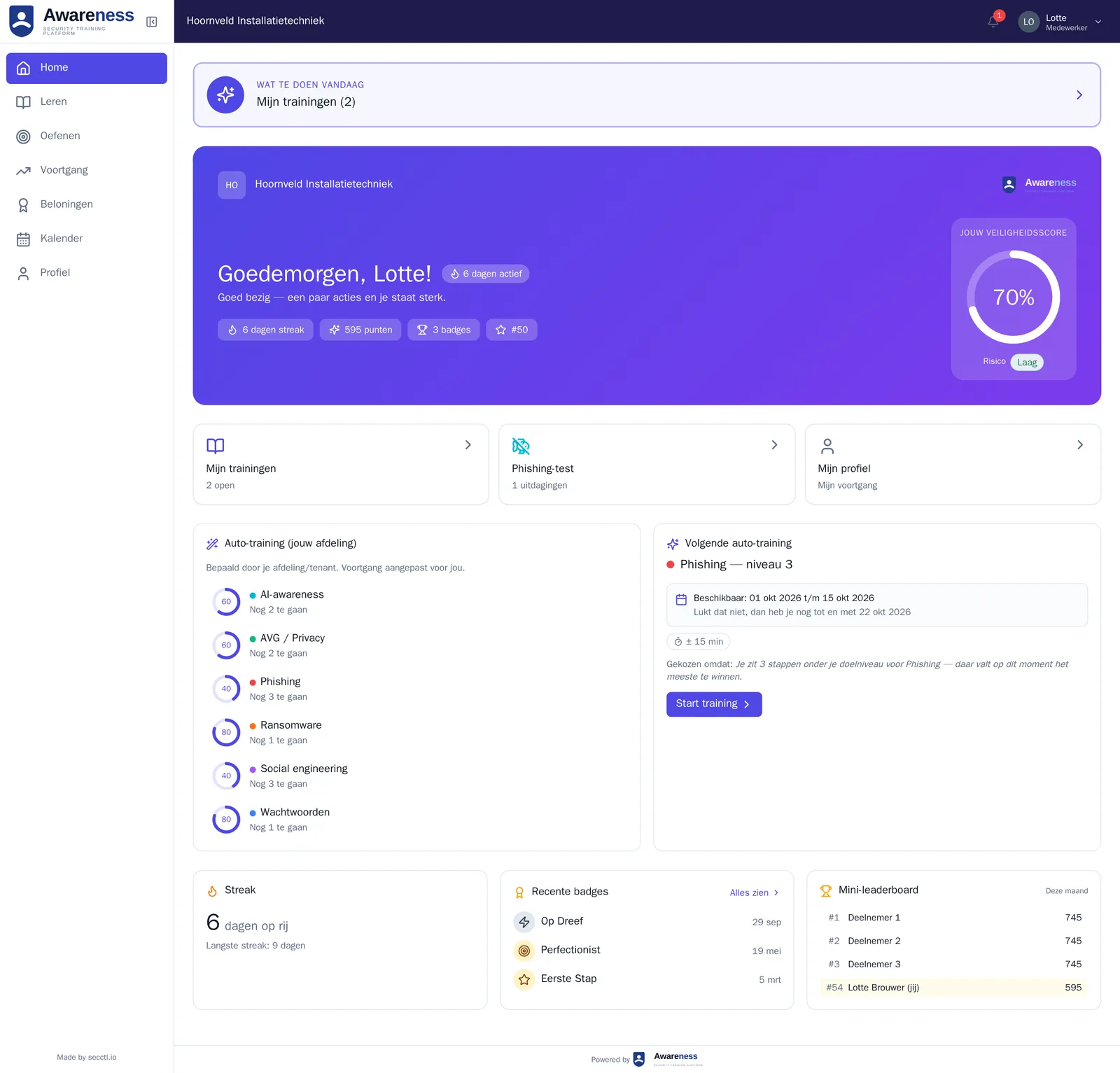
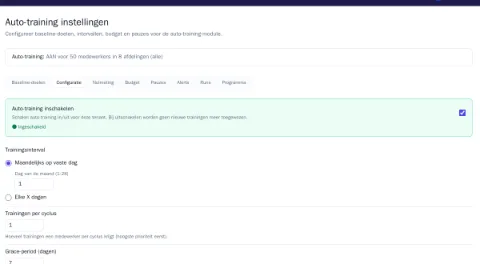
After the baseline test, the auto-trainer assigns every employee the trainings they are missing, from more than 8,000 quiz questions that secctl keeps up to date. You see the Human Risk Score per person, department and organisation.
From €83 a month including 25 employees. Live within one working day. Sign in with Microsoft.
If your environment isn’t ready within one working day, your first paid month is free.
- 8,000+ quiz questionskept up to date by secctl
- Every levelfrom front desk to boardroom, in Dutch and English
- Human Risk Scoreper person, department and organisation, with trend
- Within one working daylive, with Microsoft sign-in
You don’t pick courses. The auto-trainer does.
Measure, assign, repeat. Every cycle again, without you scheduling anything.
Measure
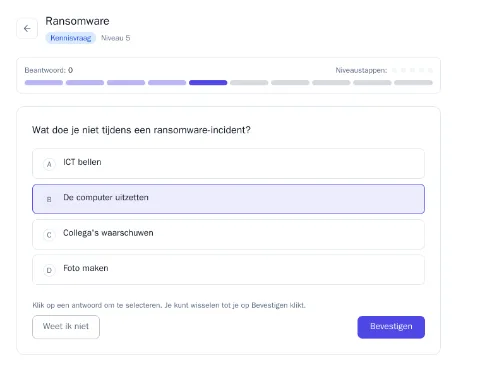
The baseline test checks per topic what someone already knows: passwords, phishing, sharing data, reporting incidents, remote work. The questions get harder as long as someone gets them right.
Assign
For each gap the employee gets one short training at their own level, with a due date and an email reminder. Whoever already knows it all gets nothing pushed on them.
Repeat
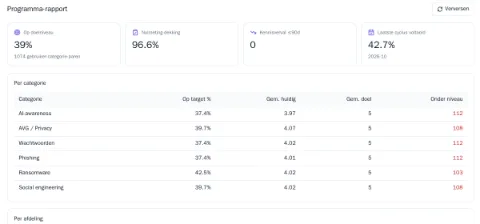
Every cycle Awareness tests again. If a score drops, the training comes back. You see per department who is at target level.
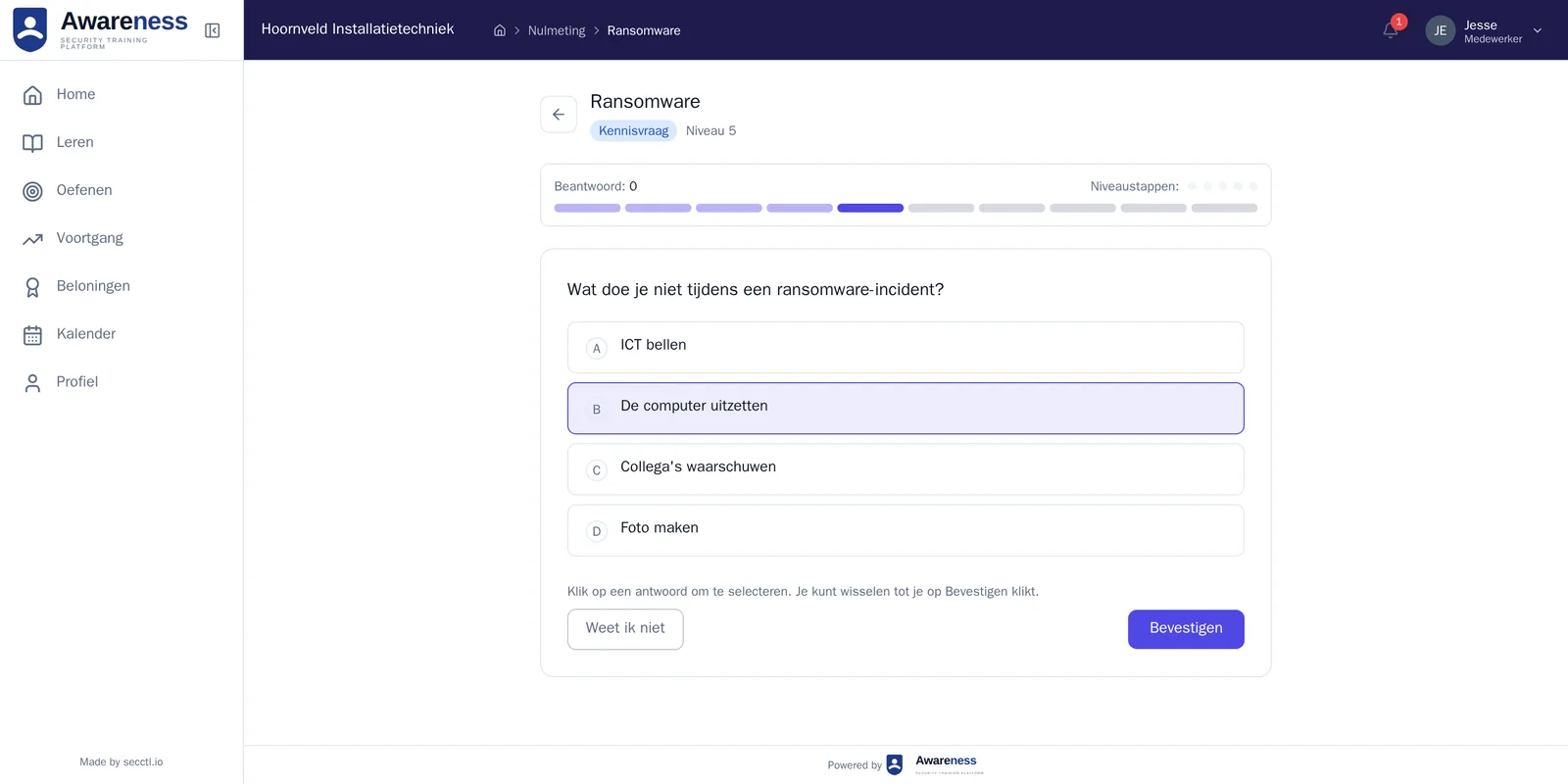
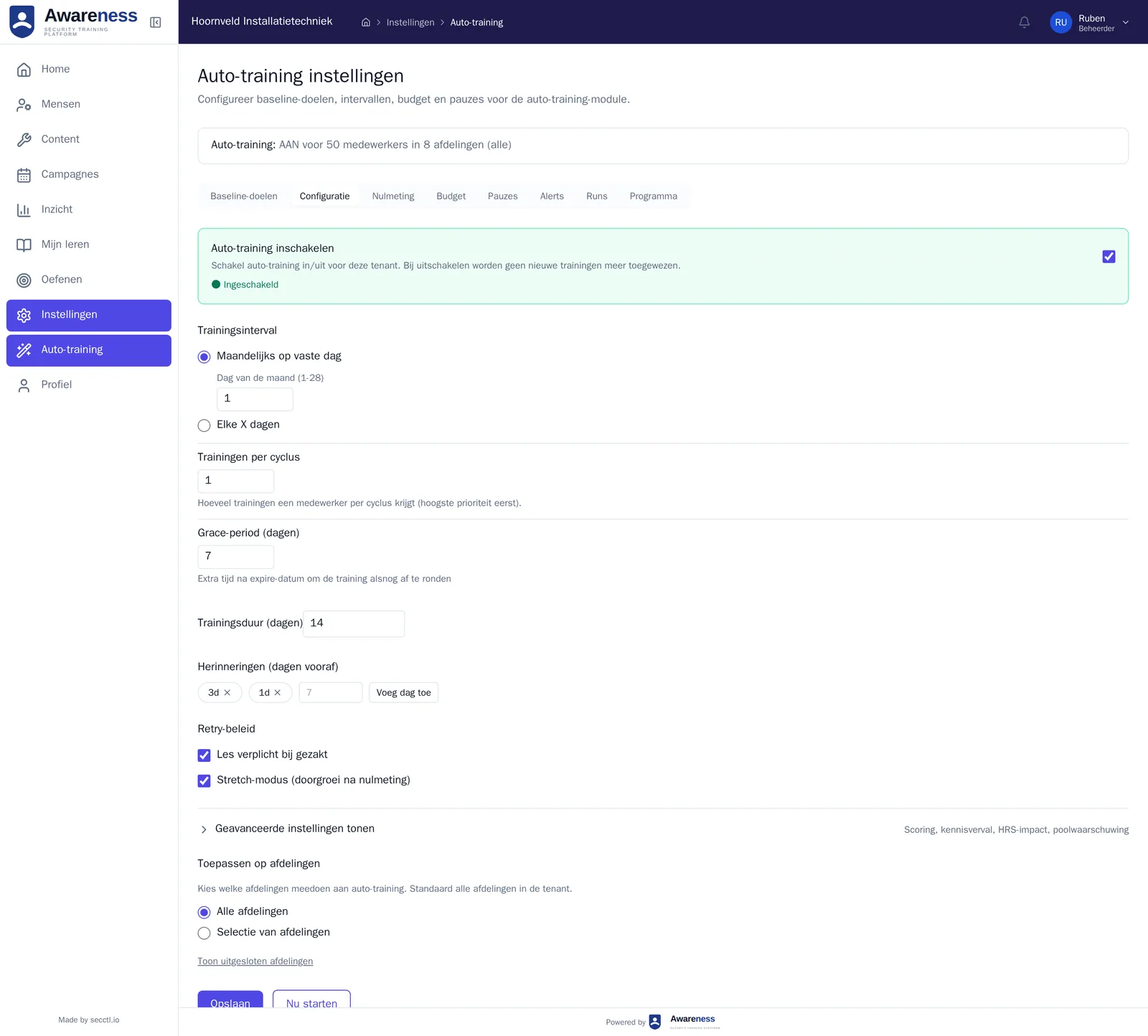
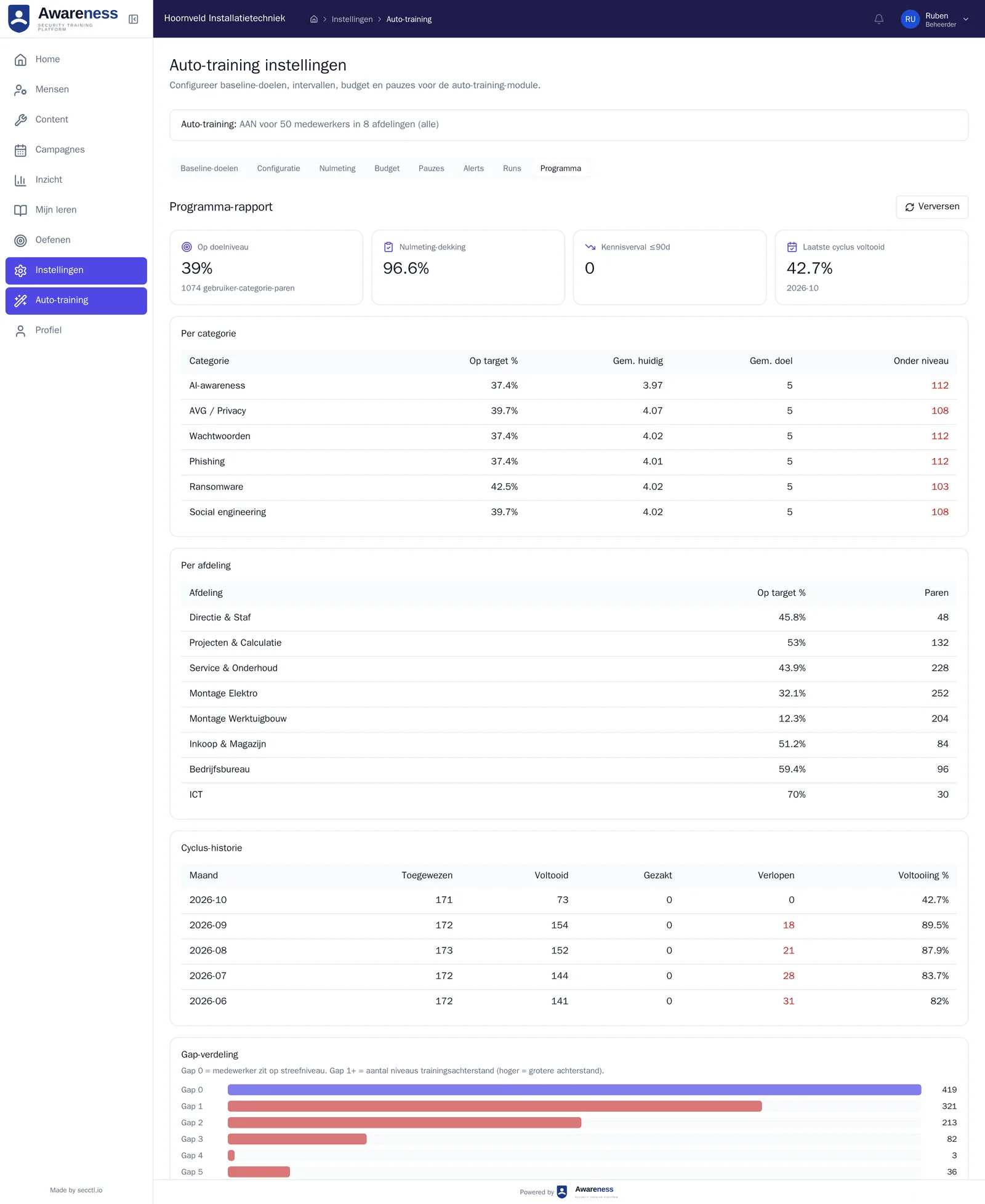
From front desk to boardroom, kept up to date by secctl
A director gets a different story than a receptionist. Behind the trainings sit more than 8,000 quiz questions that secctl maintains: new fraud patterns come in, outdated questions go out, and your environment gets that automatically.
- Trainings at several levels, so the auto-trainer matches everyone’s knowledge.
- More than 8,000 quiz questions, maintained by secctl and updated automatically in your environment.
- Every training that is added is included in the price.
- Everything in Dutch and English, set per employee.
Practise in the browser, with points and streaks
Short trainings of a few minutes, each on a single topic, and exercises that look like what really lands in the inbox.
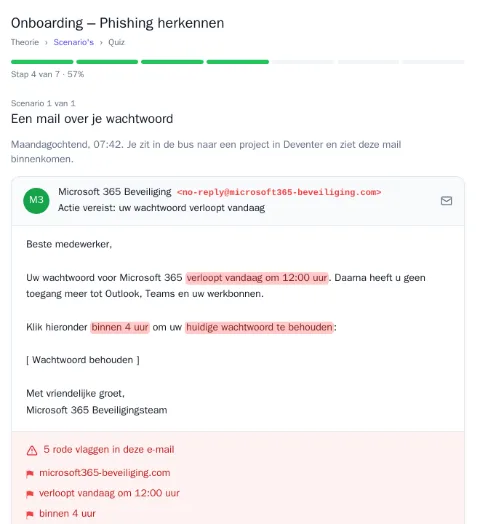
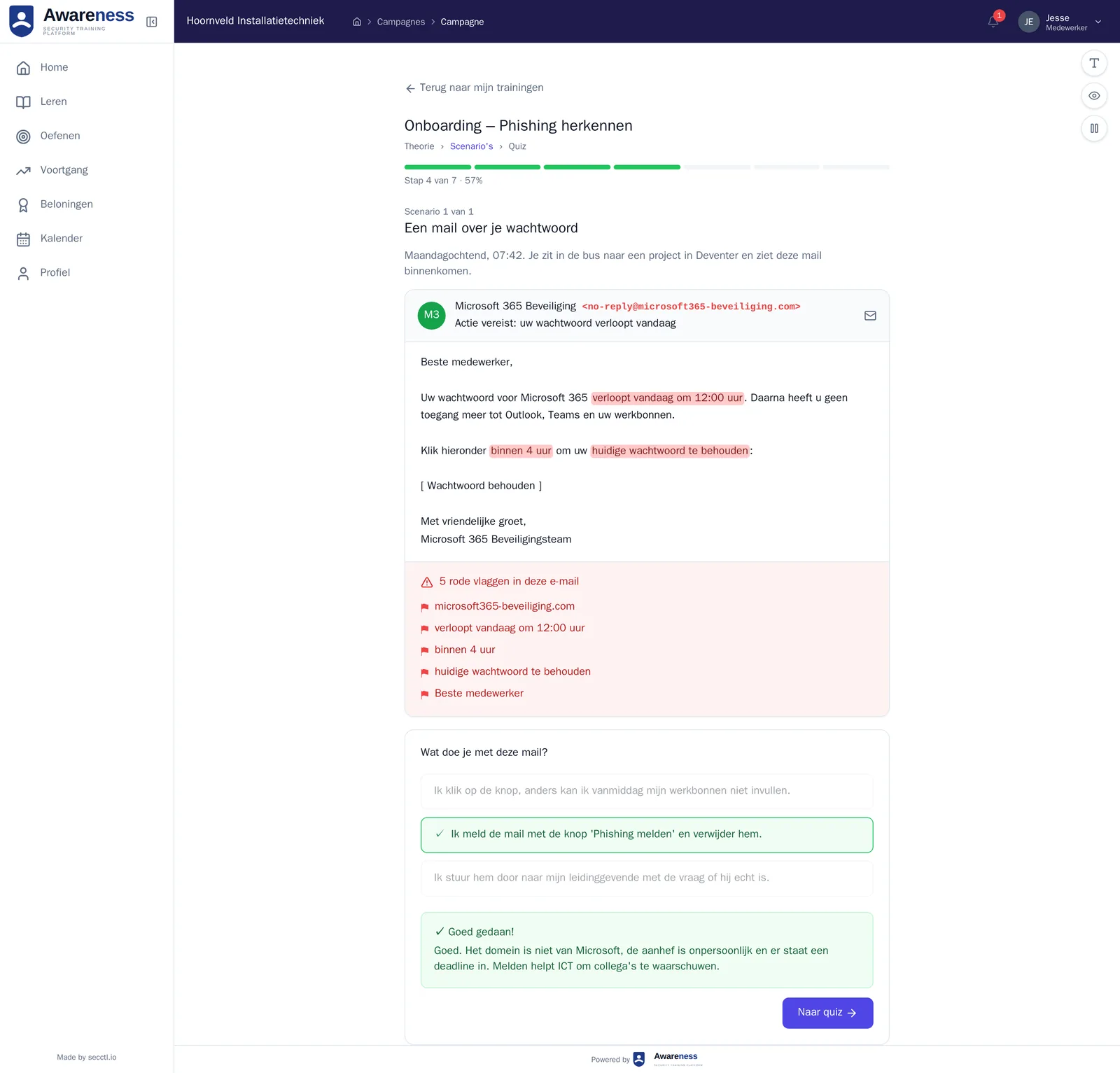
Spotting phishing
Mock emails inside the app, with an explanation of what gives them away.
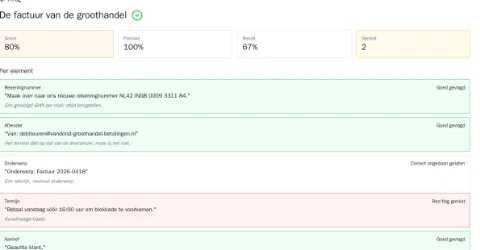
Finding red flags
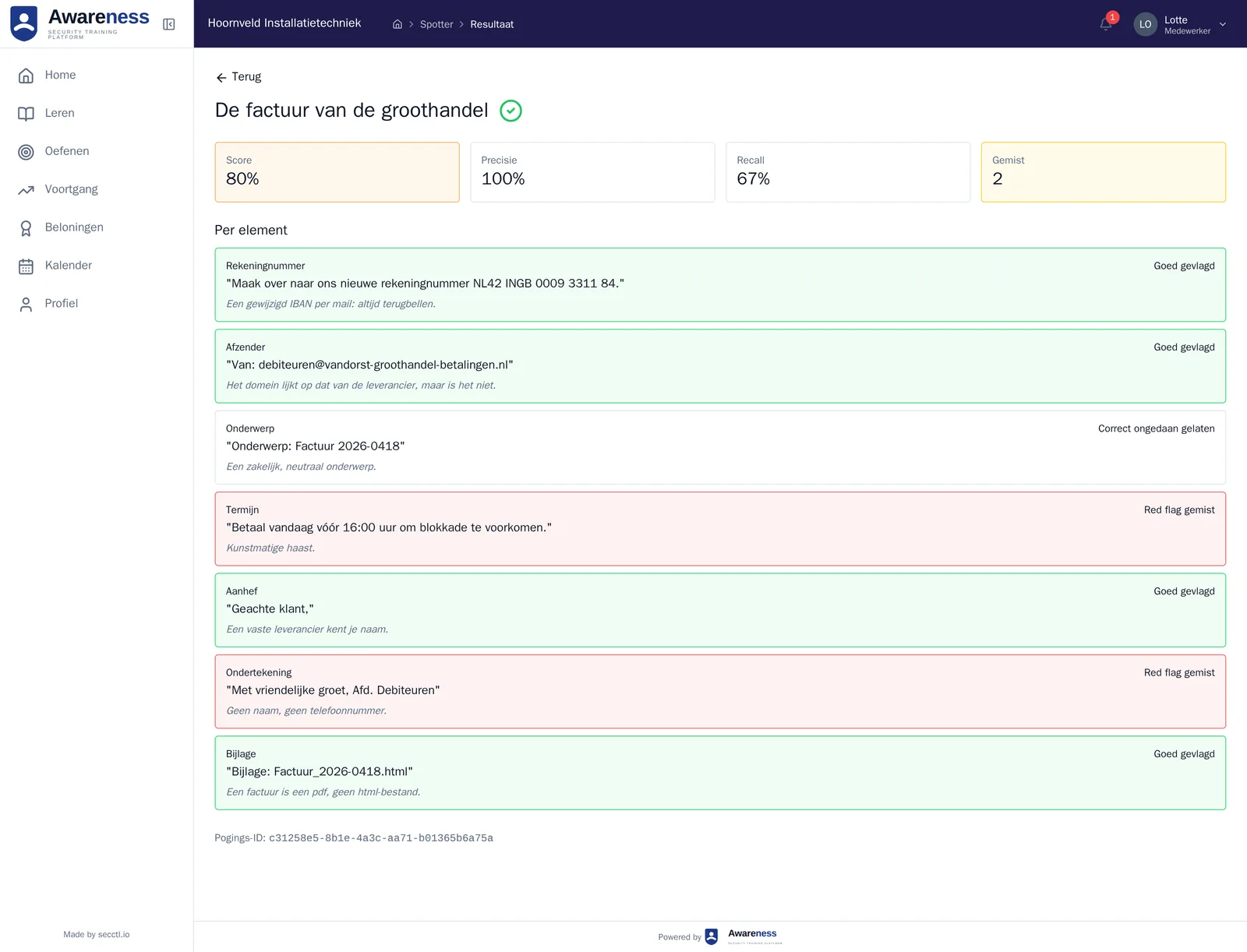
Pointing out what doesn’t add up in an invoice or message, with the result per element.
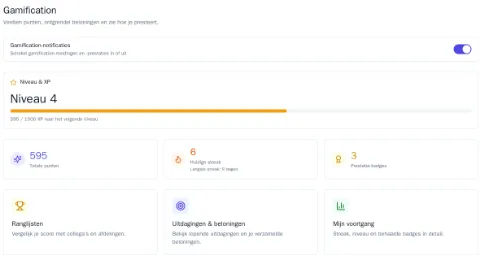
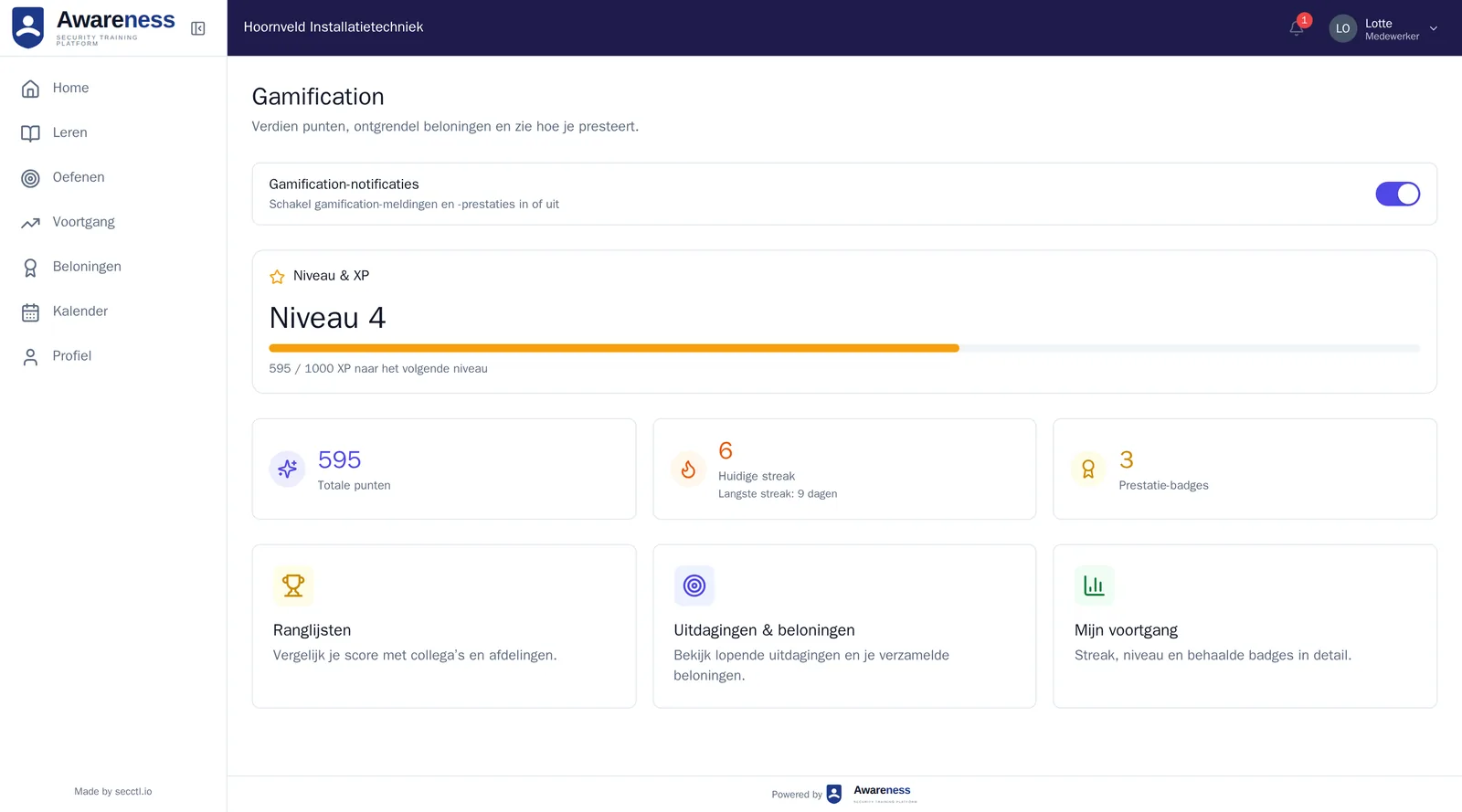
Points, levels and streaks
Tied to what someone has actually done, with a leaderboard per organisation.
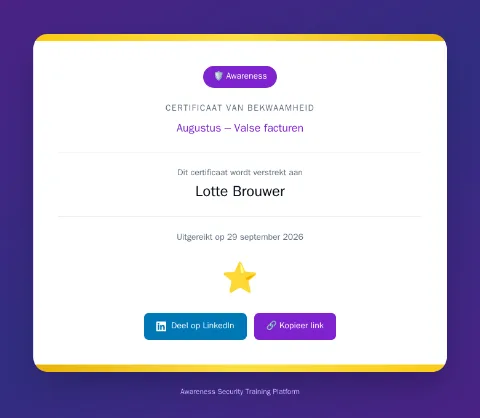
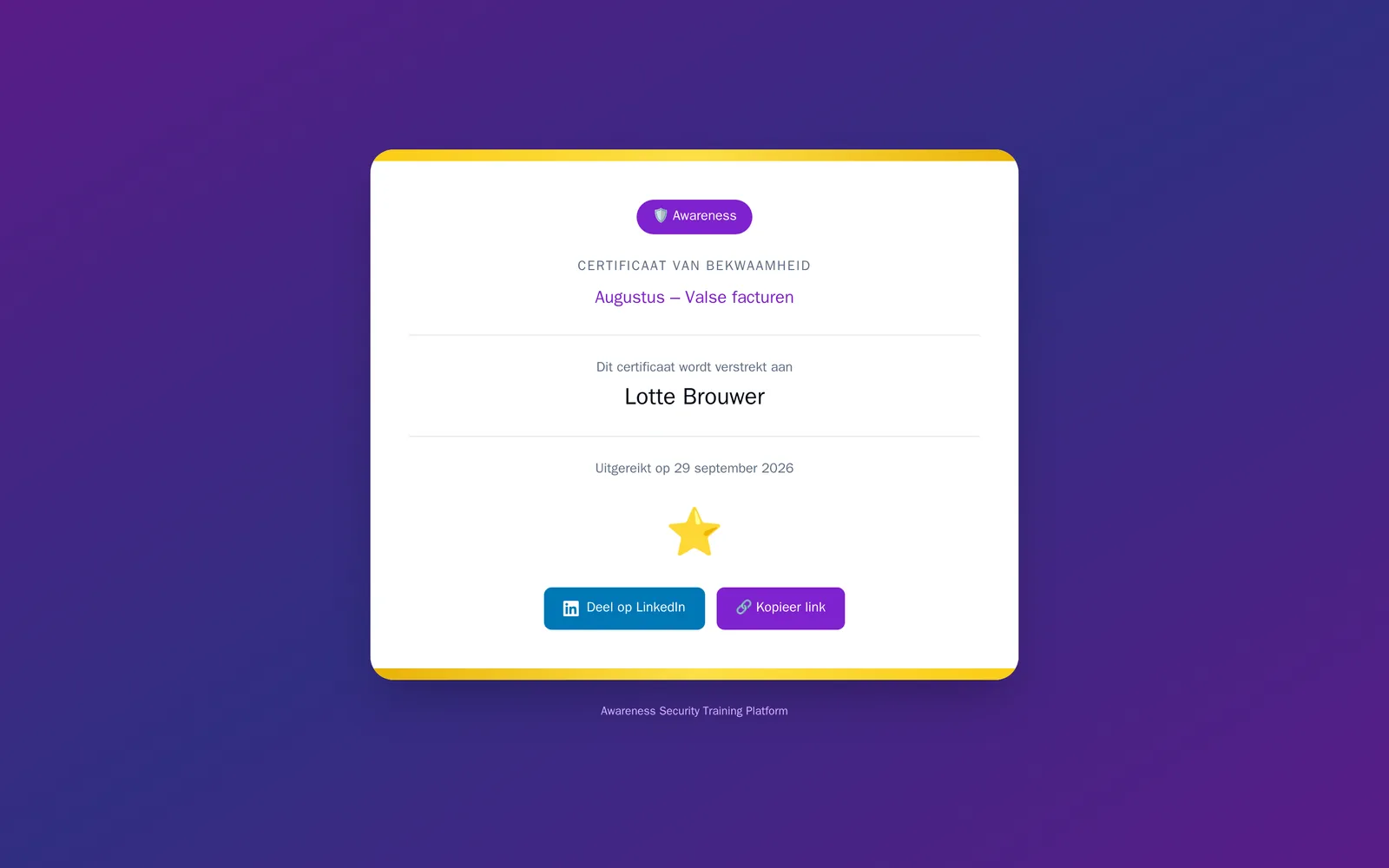
A certificate per training
As a PDF with a share link, for LinkedIn too.
One score, three levels: person, department, organisation
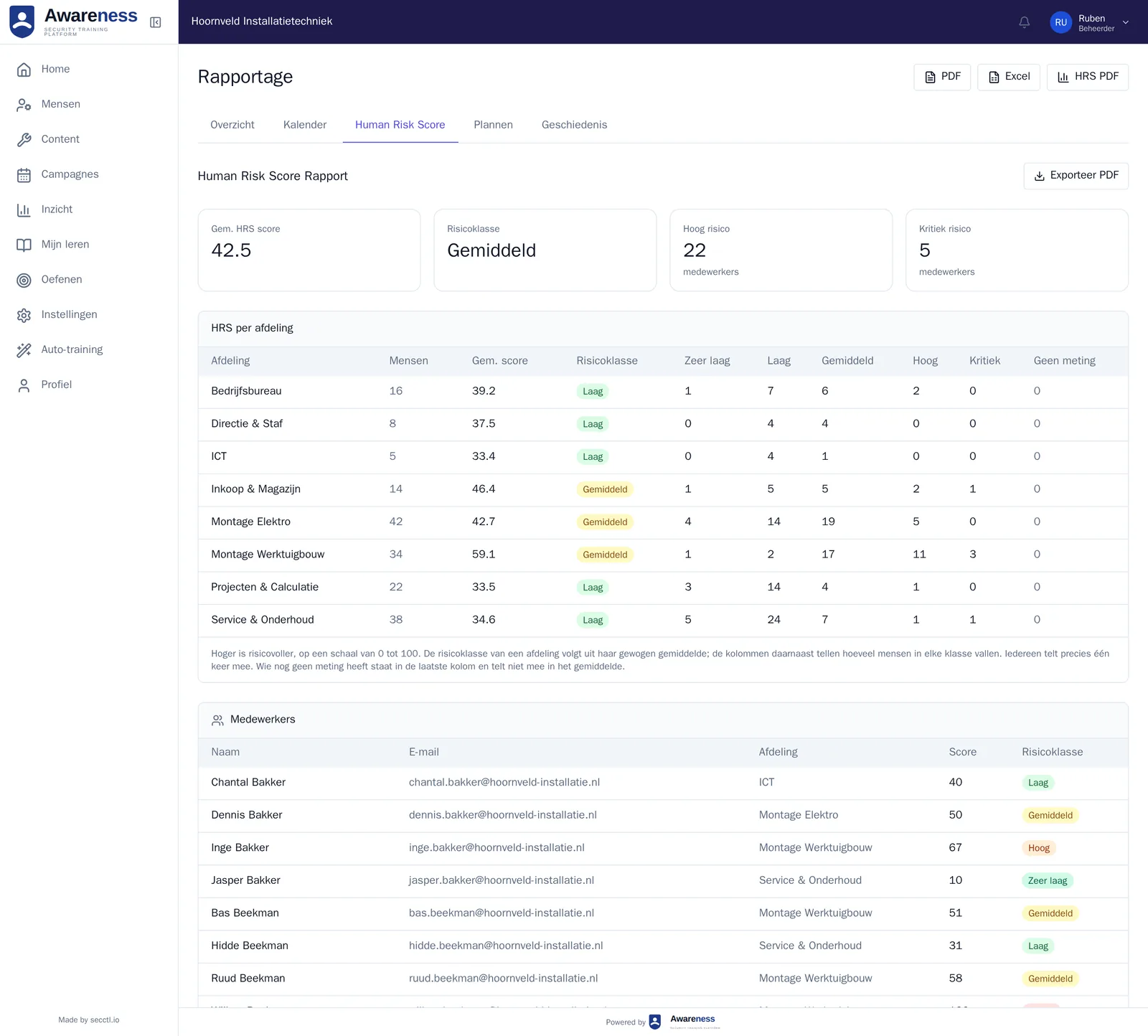
The Human Risk Score shows where the risk sits and whether it is falling. Managers see only their own department; you decide who gets which role. Every overview downloads as PDF or Excel, and a summary arrives by email every week.
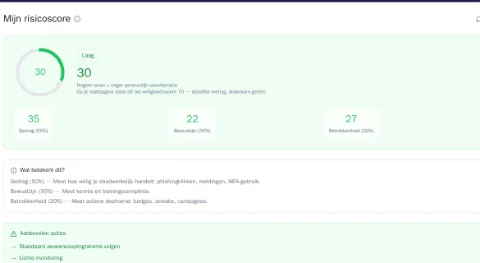
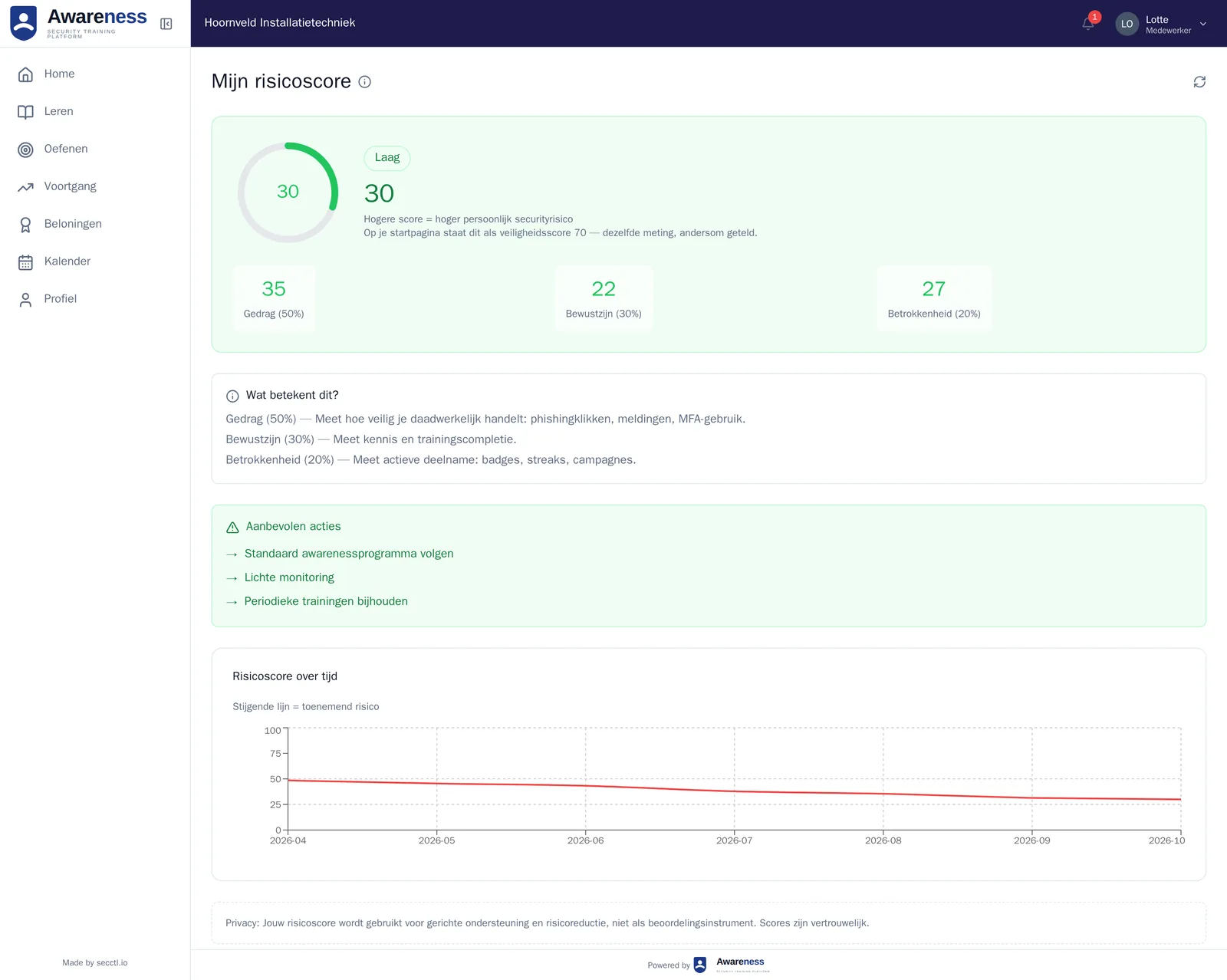
Per person
Its make-up from behaviour, awareness and engagement, with recommended actions and the trend over six months.
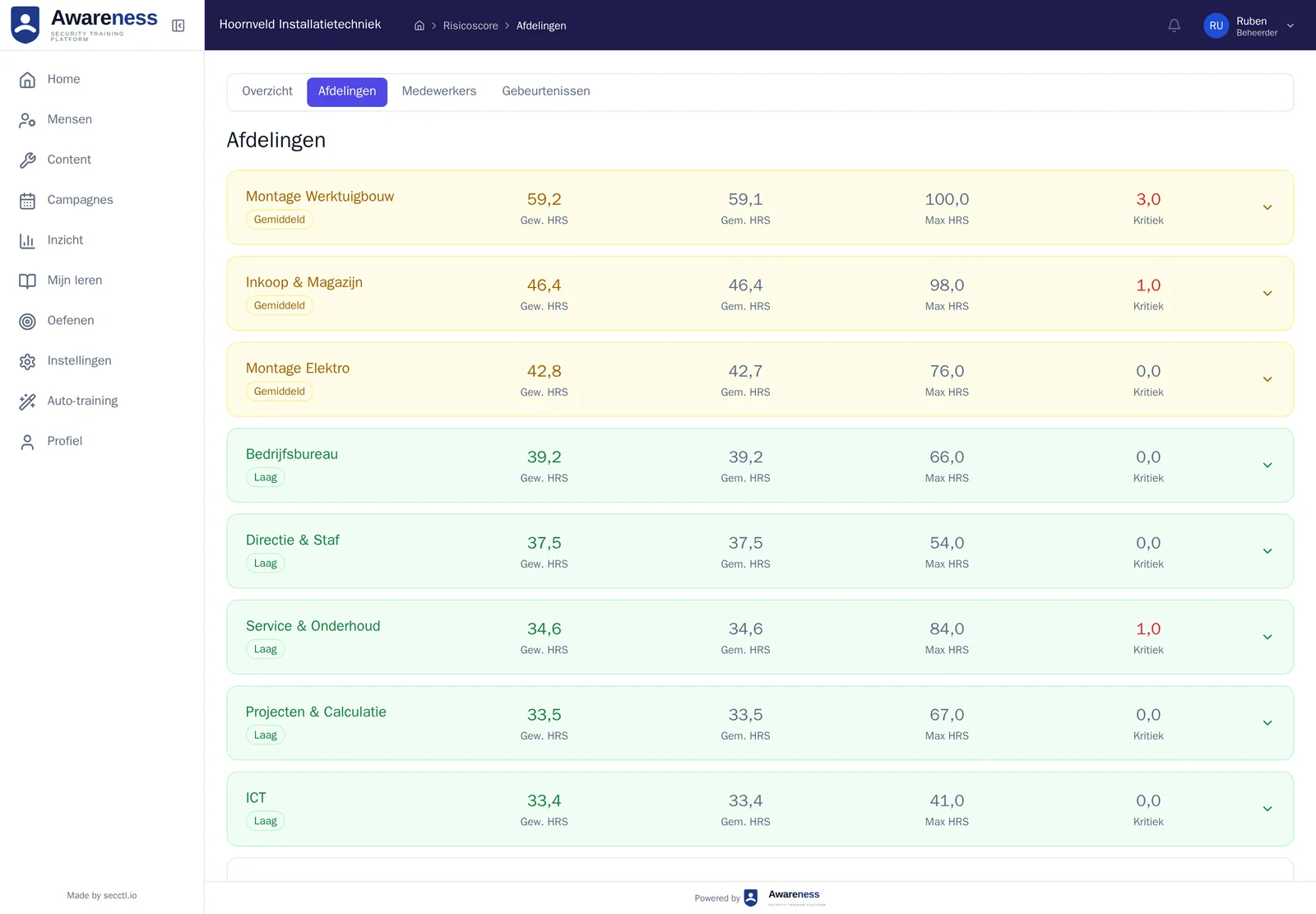
Per department
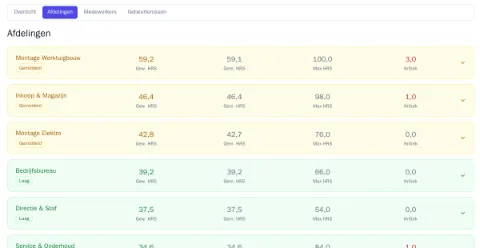
Who is behind, in one table: weighted score, highest score and number critical.
For the organisation
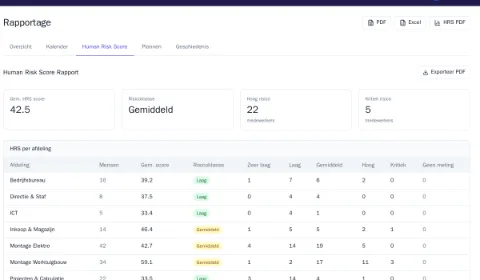
The report with the organisation score and the breakdown per department, as PDF or Excel for your auditor or board.
Requested today, training tomorrow
secctl sets up your environment within one working day, with your own logo and colours.
If your environment isn’t ready within one working day, your first paid month is free.
- Morning. You request an environment. Within one working day it is ready, with your own logo and colours.
- Afternoon. You add staff with a CSV file, for example an export from Microsoft 365. They sign in with their Microsoft account, or with email and password plus a second factor or a passkey.
- Day 2. Everyone gets an invitation and takes the baseline test. The auto-trainer assigns. The same week you see the first Human Risk Score.
Evidence for your audit
NIS2 and ISO 27001 both expect staff to be trained, and expect you to be able to show it.
NIS2, implemented in the Netherlands as the Cyberbeveiligingswet, lists staff training among the measures your board has to approve and oversee (article 21(2)(g) of the directive). ISO 27001 asks in clause 7.3 and control A.6.3 that staff know what is expected of them, and that you can demonstrate it.
The report per department, the certificates and the Human Risk Score are that evidence. Awareness delivers the evidence of training; the judgement on your certification is your auditor’s. The self-assessment shows which other measures are still open.
What it costs
From €83 a month, including 25 employees, excluding VAT. Beyond that at most €1.95 per extra employee, less as you grow. Cancel any month.
Everyone who gets an account counts. From 1 to 1,000.
For 50 employees
| Product | Per month | Per year |
|---|---|---|
| Awareness IB·01Security training for staff | €131.75 | €1,317.50 |
| RiskCompass IB·02Risk register and policy, unlimited users | €99 | €990 |
| Information security collection IBAwareness and RiskCompass together, 15% off | €196.14 | €1,961.40 |
Awareness starts with a starter package of €83 a month, including 25 employees. Beyond that you pay per extra employee. RiskCompass has one price per organisation.
Pay per year and you pay up front, for 10 months out of 12. All amounts exclude VAT.
For comparison: one day of consulting costs €1,050.
For your board
Four short sections you can forward: why now, what the risk is, what it costs and what it delivers.
The reason
NIS2, an ISO 27001 audit or a customer questionnaire asks for evidence that staff are trained. A yearly presentation proves little: nobody can show who understood what.
The risk
An email someone opens, a password someone shares, an attachment someone forwards: security stands or falls with what staff do. The baseline test shows straight away what your staff do and don’t recognise today.
The cost
€131.75 a month for 50 employees, excluding VAT. From €83 a month, including 25 employees. Beyond that at most €1.95 per extra employee, less as you grow. Cancel any month, and the first 30 days are free.
What it delivers
A Human Risk Score per person, department and organisation, a report as PDF or Excel and a certificate per employee, as evidence for your auditor, your customer or your insurer. And a board that can show it oversees staff training, as the law requires.
Frequently asked questions
What IT managers ask before they start the trial.
How do staff practise phishing?
Inside the app, with mock emails and the red-flag exercise. You change nothing on your mail server or spam filter.
Does it work with Microsoft 365?
Yes. Staff sign in with their Microsoft account. You add them with a CSV file, for example an export from Microsoft 365.
Which languages?
Dutch and English, set per employee.
Where do staff work?
In the browser, on a laptop, tablet or phone.
What happens after 30 days?
You choose. If you continue, you get an invoice at the end of each month. If you don’t choose, the environment stops and you pay nothing.
Try it with your own team for 30 days
You won't need payment details. Rather talk first? Pick a time that suits you.